TL;DR
I’ve tried a lot of open-source video models over the last two years, and honestly, I deleted most of them. Either the model was too big for a normal PC, or the output fell apart the moment a character moved — and the audio had to be added separately. MiniMax’s H3, open-sourced on August 3, 2026, is different.
It’s one of the most controllable AI video models I’ve used so far. Not because the frames look cinematic (they do), but because text, image, video, audio, character references, camera motion and even voice cloning all live in one workflow. Ads, music videos, brand assets or game cutscenes — the level of control is a real step forward. And the headline: it runs from 8GB VRAM with quantized weights, and the uncensored build is already out.

Quick Facts
| Metric | Data |
|---|---|
| Open-Source Date | August 3, 2026 (weights + workflows) |
| Model Type | Full-modal video generation (H3-Context-IR architecture, not Hailuo 01/02) |
| Output Length | 4–15 seconds per generation |
| Max Resolution | Up to 2K (1344×768 verified) |
| Audio | Native synchronized 32kHz stereo — not added in post |
| Languages | 11, including Chinese, English, Japanese, Korean and French |
| Leaderboards | #1 in video editing; top open-source tier for text-to-video and image-to-video |
| Official Unquantized Build | Dual 32GB cards (64GB total) + ~384GB RAM |
| Community Quantized Build | 12GB VRAM + 32GB RAM + NVMe SSD (comfortable start) |
| Minimum | 8GB VRAM (Q2/Q3 quantization + offload) |
| Platform | ComfyUI 0.27 or newer (GGUF or official native route) |
| Uncensored Build | Released: BF16 47.97GB / INT8 24.55GB / tail module 7.09GB |
What Is MiniMax H3?
Let’s get the positioning straight first, or the download steps will confuse you. H3 is not a plain “text-to-video” model. MiniMax officially describes it as a full-modal generation system: it understands multimodal context made of text, images, video and audio, then directly generates video with native stereo sound.
- 4 to 15 seconds of output, up to 2K resolution;
- Video and audio generated together at 32kHz stereo — no post-added sound;
- 11 languages of lip-sync and speech, including Chinese, English, Japanese, Korean and French;
- On public Artificial Analysis charts, video editing ranks #1 globally, with text-to-video and image-to-video both in the top tier and first among open-source models;
- It’s Hailuo AI’s third-generation video model, on the new H3-Context-IR architecture — completely different from Hailuo 01 and 02;
- And critically, uncensored weights are already public, with far fewer content restrictions than the official build.
Bottom line: open-source video has finally caught up with closed products on controllability — synchronized audio, cross-shot character consistency and real camera language used to be moats. Now the weights are on your hard drive.
VRAM Requirements (Read This Carefully)
“8GB VRAM is enough” is all over the internet. Here’s what public test data actually shows, so you can decide for yourself:
| Configuration | Test Parameters | Generation Time |
|---|---|---|
| 12GB VRAM + 32GB RAM + fast NVMe SSD (community, stable) | 5s 480p · 20 steps | ~5 minutes |
| Dual 32GB cards (64GB total) + ~384GB RAM (official unquantized verification) | 5s 1344×768 · 50 steps | ~9.3 minutes |
How can a 40+ GB model run on 12GB of VRAM? ComfyUI uses layer-wise dynamic scheduling: each layer is moved into VRAM only when needed, while the rest sits in RAM and disk. Running out of VRAM doesn’t crash it — it just gets slower.
So can 8GB run it? Yes, but only with aggressive quantization (Q2/Q3) plus heavy offloading. Render times climb dramatically, and low-bit quantization genuinely damages quality. If you’re on an 8GB card: start with 32GB system RAM, an NVMe SSD, and 480p / 20 steps / 5 seconds. Don’t jump straight to 720p.
⚠️ Honest take: 12GB VRAM is the comfortable starting point. 8GB runs, but there’s a difference between “runs” and “runs well.” If you just want to see the quality, Hailuo AI’s official online version is a good baseline.
Local Deployment Guide (6 Steps)
1. Update ComfyUI
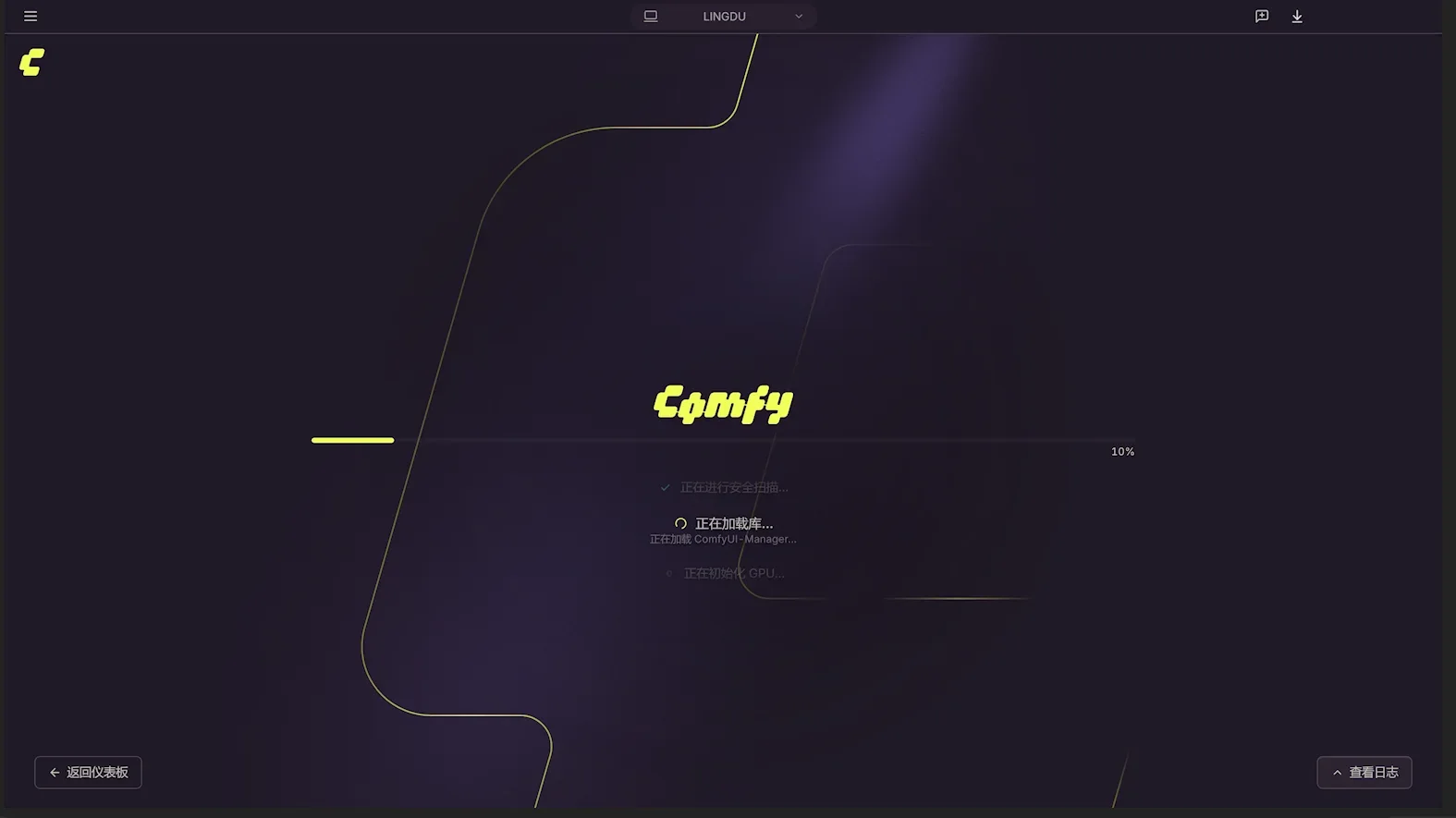
Skip this and every step after it will fail. H3 needs ComfyUI 0.27 or newer — older versions don’t have the native nodes. If you use an all-in-one package, use its launcher’s update function, then restart once and confirm the version number in the bottom-right corner.
2. Download the Official Models From the Template Center
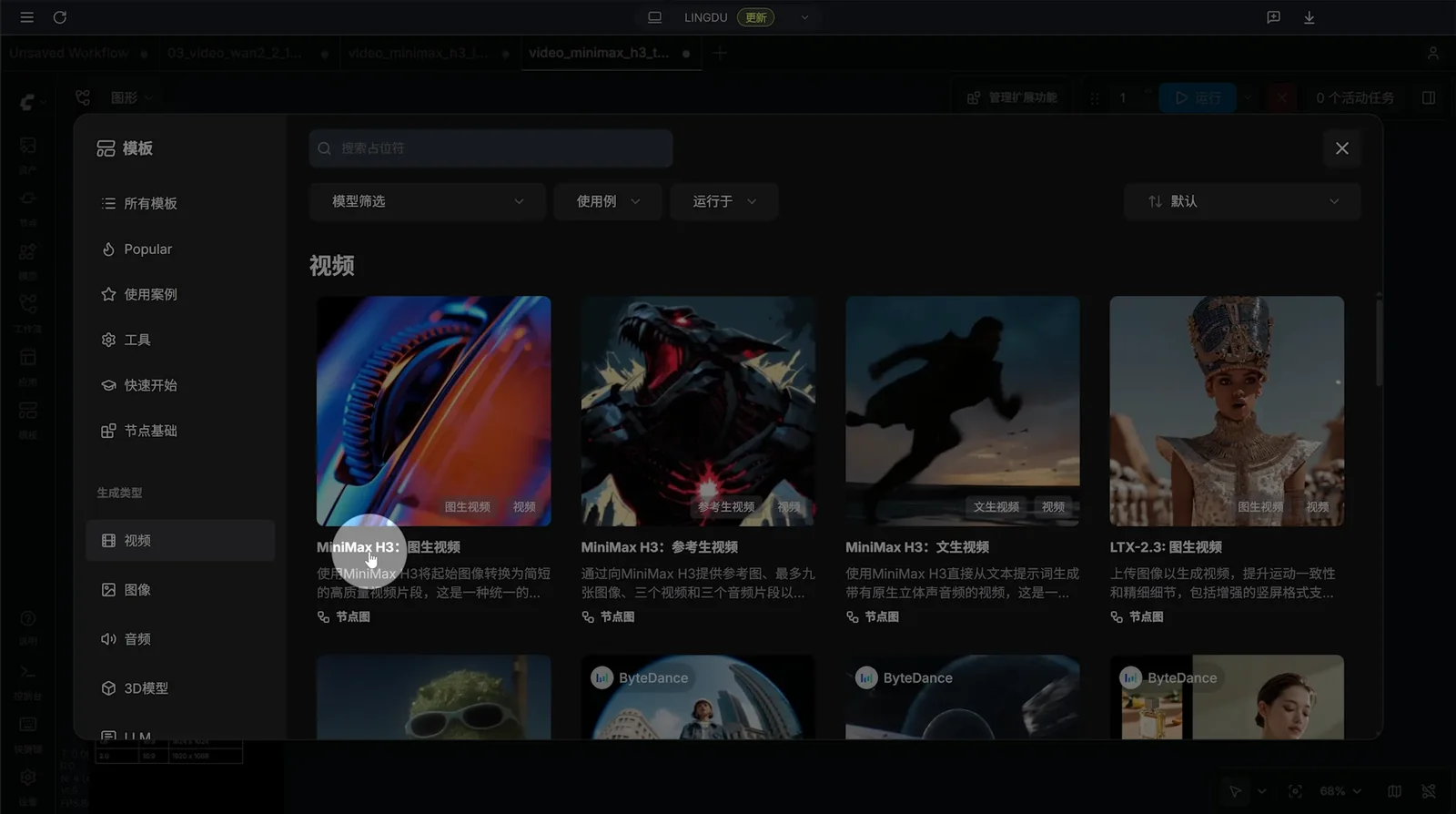
Open Templates in the left sidebar to enter the model download center, switch to the Video category, and you’ll see three MiniMax H3 models: text-to-video, image-to-video and reference-based generation. Click one and download the missing model files as prompted.
Keep the resolution small (e.g. 480p) for a big speed boost. Once a clip is done, an AI upscaler can push it to 1080p, 2K or even 4K.
3. Download the Uncensored Weights
For far fewer content limits, the community’s uncensored build is the popular choice. It ships as three files:
| File | Size | Notes |
|---|---|---|
qwen3vl_32b_h3_generation_tail_50_63_int8_convrot.safetensors | 7.09 GB | Generation tail module (not a full model, but required) |
qwen3vl_32b_h3_ultra_uncensored_heretic_bf16.safetensors | 47.97 GB | BF16 full precision: best quality, very demanding |
qwen3vl_32b_h3_ultra_uncensored_heretic_int8_convrot.safetensors | 24.55 GB | INT8 quantized: the pick for consumer GPUs, tested results are excellent |
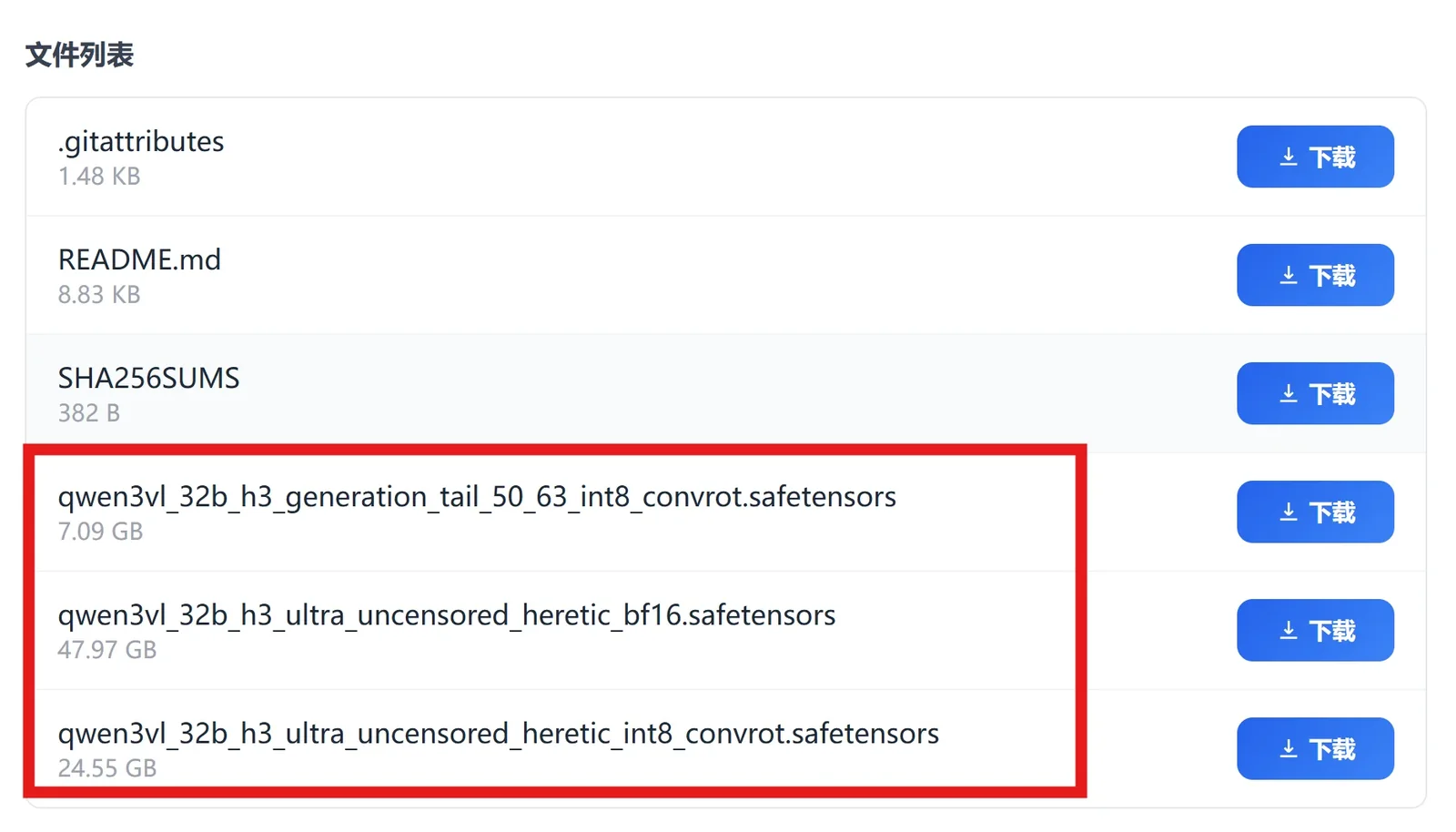
For consumer cards, pick the smaller quantized model — the 24.55GB INT8 build is the sweet spot. If you’re on 8GB VRAM, look for the FP4 quantized build, which was made for exactly that case.
4. Where to Put the Model Files
For the GGUF route, follow this folder map exactly:
| Type | File | Directory |
|---|---|---|
| Main model | MiniMax-H3-FL2VA-Q4_K_M.gguf (pick quant by VRAM) | models/unet/ |
| Text encoder | qwen3vl_32b_minimax_h3_Q4_K_M.gguf | models/text_encoders/ |
| Video VAE | minimax_h3_video_vae_fp16.safetensors | models/vae/ |
| Audio VAE | minimax_h3_audio_vae_fp32.safetensors (must be fp32) | models/vae/ |
Quantization picker: 24GB+ → Q8 or official INT8 / NVFP4; 16GB → Q5 or Q4; 12GB → Q4; 8GB → Q3 or a mixed-precision Q2 build.
⚠️ Two traps: 1) the audio VAE must be the fp32 file — an fp16 audio VAE gives desynced audio or no sound at all; 2) on the official native route, weights must live in both
models/MiniMax-H3/(single-file weights) andmodels/diffusers/MiniMax-H3/(sharded files with config.json). Missing either one errors out. It’s unintuitive, but that’s how it works today.
5. Load the Workflow
GGUF model repos usually ship a matching workflow JSON — download it and drag it straight into ComfyUI. On the official native route, ComfyUI’s template browser already includes the H3 official workflow. After loading, check these nodes:
- Unet Loader (GGUF): your main model;
- CLIP Loader (GGUF): the qwen3vl text encoder;
- VAE Loader: there are two — video VAE and audio VAE, wired to the right one each;
- Resolution & frames: start at 480p, 5 seconds.
When all nodes are green, hit Generate.
6. First Generation + AI Upscaling
The first render is slow because weights must be loaded from disk. On an 8–12GB card, budget 8–15 minutes for a 5-second 480p clip at 20 steps. Later renders get much faster since part of the weights is cached in RAM. Windows users on ~8GB VRAM can also “brute-force” it with virtual memory, but speed drops further.
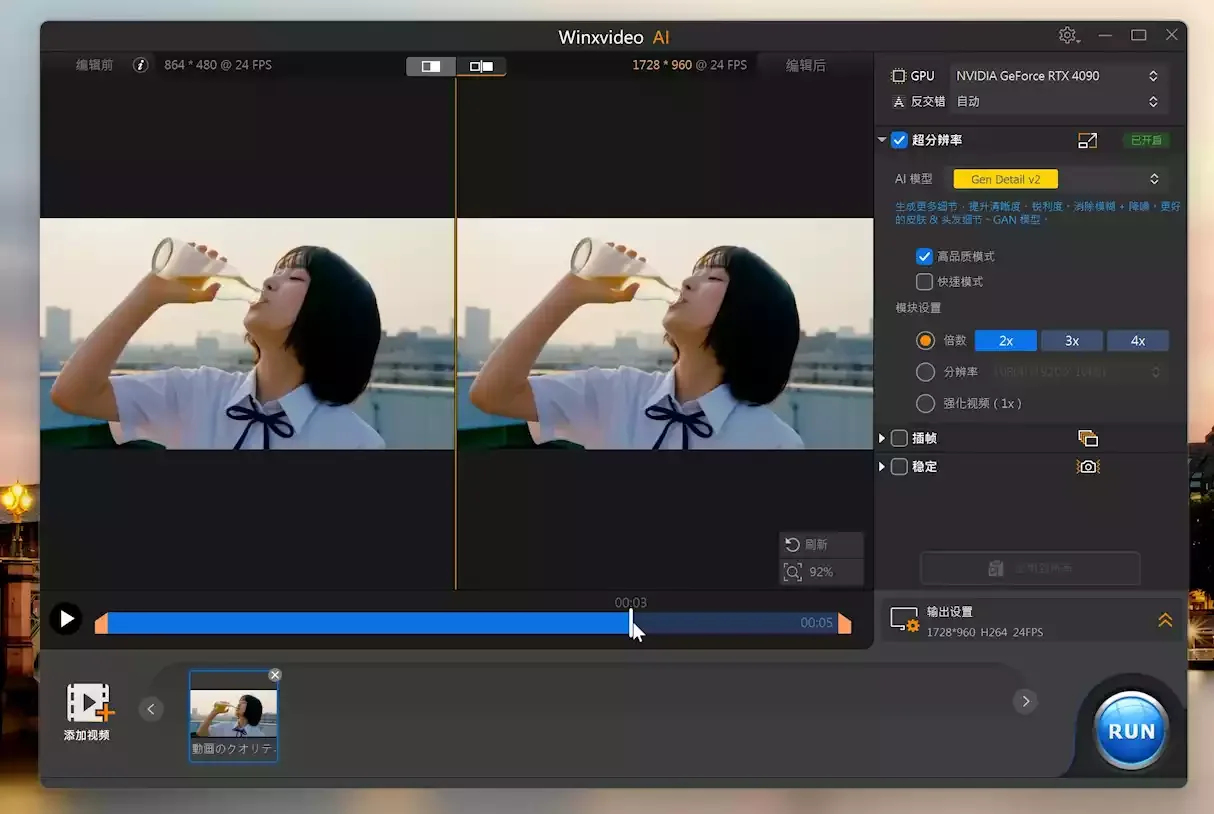
Once a clip is done, run it through an H3-compatible AI upscaler (Winxvideo AI and similar). In my test, a 864×480 clip scaled 2× looked noticeably sharper with much better detail retention.
Before you pick a quantization level, this script checks your machine and starts ComfyUI with safe flags:
# 1) GPU model, total and free VRAM
nvidia-smi --query-gpu=name,memory.total,memory.free --format=csv

# 2) System RAM
Get-CimInstance Win32_ComputerSystem | Select-Object TotalPhysicalMemory

# 3) For 12GB VRAM or less, launch ComfyUI with --lowvram (adjust the path to your install)
cd "$env:USERPROFILE\AppData\Local\ComfyUI_desktop\ComfyUI"
python main.py --lowvram --preview-method auto
Filmmaking Tips From Real Testing
Getting it running is only the start — prompts are what make or break the output, and H3 genuinely understands camera language. The uncensored build adds freedom on top, and the portrait close-ups, motion detail and native sound effects from my tests came out remarkably close to real footage.

① Write Shots, Not Tags
The old Stable Diffusion habit of piling up keywords barely works on H3. It wants a full scene description plus camera direction.
What not to do:
A woman, coffee shop, rain, cinematic, 8k, high qualityWhat works:
A window seat in a coffee shop at dusk, light rain outside. A woman in a beige knit sweater stirs her coffee with her head down; the camera slowly tilts up from a close-up of her hands to her face as she looks out the window and smiles slightly. Warm indoor lighting contrasts with the cool light outside. Background audio: rain, the clink of cups, faint jazz.The difference: the second version spells out picture, action, camera movement, light and sound. H3 generates audio together with the video — if you don’t describe the sound, it guesses, and its guesses rarely match yours.
② Use Real Camera Terms
Push-in, pull-out, pan, tilt, track, follow, crane and handheld all work — English terms like dolly in, pan left, crane shot and handheld too. If you want controlled motion, say so explicitly. Don’t expect mind-reading.
③ Lock Characters With Ref2VA
This is H3’s most practical feature, period. The Ref2VA block takes multiple reference images of the same character (up to 9; 3–5 from different angles is the sweet spot) plus a voice reference, and produces continuous shots with the same person and same voice. For talking-head content, series and virtual streamers, it cuts the workload in half.
In my tests, reference quality beats quantity every time: 5 sharp front-and-side shots outperform 9 blurry ones.
④ Chaining Past the 15-Second Limit
15 seconds per generation is a hard cap. For longer films, chain shots: export the last frame of a segment, feed it as the first frame of the next, and keep Ref2VA locking the character. The community has already produced 30-second, three-shot films with consistent people and voices throughout.
Troubleshooting
| Problem | Cause & Fix |
|---|---|
| Missing node errors | ComfyUI too old, or the ComfyUI-GGUF extension isn’t installed |
| Crash / OOM while loading | Switch to a lower quantization and launch with --lowvram |
| Video has no sound | Check the audio VAE — it must be the fp32 file, not fp16 |
| Video plays, audio out of sync | Video VAE and audio VAE are probably swapped — check the wiring |
| Unbearably slow | Keep models on NVMe SSD; HDD makes offload ~10x slower. Also confirm enough RAM, or it spills into virtual memory |
| Broken frames / deformed characters | Quantization is too aggressive (Q2/Q3). Drop resolution for quality or add VRAM |
Safety Notes on Community Weights
Modified community weights are floating around under all kinds of names. Three honest warnings before you click download:
- Unknown-weight files are a security risk. Model files can carry payloads, especially outside the safetensors format. Verify the publisher and file hashes, and don’t load random weights on your main work machine.
- Character reference + voice cloning sits very close to legal boundaries. Using a real person’s face and voice is regulated in Australia, the EU, several US states and China — portrait and voice rights are independently protected. Even “just for fun” content can land the publisher in trouble.
- Platform risk is real. YouTube and Bilibili react directly to this kind of content: throttled reach at best, banned accounts at worst. If you make content for a living, that’s not a gamble worth taking.
The model itself is genuinely good — how you use it is on you. My advice: spend your effort on prompts and shot design; that’s where the real gap is.
FAQ
What is MiniMax H3?
MiniMax H3 is a full-modal video generation system open-sourced by MiniMax on August 3, 2026. Built on the H3-Context-IR architecture, it understands text, image, video and audio together and generates video with native 32kHz stereo audio, including lip-sync for 11 languages.
Can it really run on 8GB VRAM?
Yes, but only with aggressive quantization (Q2/Q3) and heavy offloading, which slows generation and visibly hurts quality. A comfortable start is 12GB VRAM + 32GB system RAM + an NVMe SSD; the official unquantized build needs dual 32GB cards.
Official vs. uncensored weights?
The uncensored build is a community-released low-restriction version. It ships as a BF16 full model (47.97GB), an INT8 quantized model (24.55GB) and a 7.09GB generation tail module. Using it comes with legal and platform risks you should evaluate yourself.
Is audio generated separately?
No. Video and audio are generated together at 32kHz stereo — nothing is added in post. H3 also supports lip-sync and speech in 11 languages including Chinese, English, Japanese, Korean and French.
How long can one generation be?
Each generation outputs 4 to 15 seconds at up to 2K resolution. For longer films, chain shots by feeding the last frame of one segment as the first frame of the next, combined with Ref2VA to lock the character.
Why is my video silent?
Check the audio VAE: H3 requires minimax_h3_audio_vae_fp32.safetensors — an fp16 audio VAE produces no sound or desynced audio. If the video plays but audio is out of sync, the video and audio VAEs are probably wired to the wrong loaders.
Pros, Cons & Verdict
| Category | Score | Comment |
|---|---|---|
| Generation Quality | 4.7 / 5 | Synchronized audio and strong realism; close to cinematic in one pass |
| Controllability | 4.8 / 5 | Camera language + Ref2VA — closest an open model has come to closed products |
| Audio / Languages | 4.6 / 5 | Native 32kHz stereo + 11-language lip-sync, no post-production needed |
| Deployment Ease | 3.5 / 5 | 8GB works but is a project; 12GB is comfortable; first render is slow |
| Open Source / Ecosystem | 4.8 / 5 | Official weights + uncensored build + full workflows, mature in week one |
One-line verdict: MiniMax H3’s open-sourcing matters less because “there’s one more model you can run” and more because open-source video has finally matched closed products on controllability — synchronized audio, cross-shot character consistency, real camera language and 11 languages of lip-sync used to be moats. The hardware bar still exists, but 12GB is comfortable and 8GB just needs patience.
If you have a 12GB+ GPU, my advice is to install ComfyUI this week and run one test: start at 480p / 20 steps / 5 seconds, get the pipeline working, then chase quality. If week one already looks this mature, quantization and inference optimizations will only get better.